Paper checklists and spreadsheets work until they don’t. One missed inspection, one outdated work instruction or one supplier problem nobody tracked can turn into scrap, rework or a customer complaint.
Manufacturing quality control software replaces those manual steps with one system for inspections, documents, corrective actions and quality data. This guide explains what the software does, the main types on the market, how it fits with your ERP and MES, and how to choose the right fit for your plant. It draws on what we’ve learned delivering QMS consulting services to manufacturers.
What Is Manufacturing Quality Control Software?

Manufacturing quality control software is a system that helps manufacturers check that products meet requirements, record the results and act when something goes wrong. It brings inspection data, quality documents, nonconformances and corrective actions into one place, so problems are caught early and handled the same way every time.
It’s worth separating three terms that often get mixed up:
- Quality control (QC) checks the product: inspections, tests and measurements that find defects.
- Quality assurance (QA) checks the process: the procedures and training that prevent defects in the first place.
- A quality management system (QMS) ties both together: the documents, records and workflows that show your quality program works.
Most quality control software covers some of all three. The difference between products is how much of each they cover, and that’s what decides which type you need.
Signs You’ve Outgrown Paper and Spreadsheets

You don’t need software because a competitor has it. You need it when manual quality control starts costing you. Common signs:
- Operators work from printed procedures, and nobody is sure which version is current.
- Inspection results live in spreadsheets on different desktops, so trends show up late or not at all.
- Corrective actions are tracked by email and stall when someone is out.
- Preparing for a customer or ISO 9001 audit means days of pulling records together.
- The same supplier problems come back because nobody can see the history.
If two or more of these sound familiar, it’s time to look at software.
Types of Quality Control Software
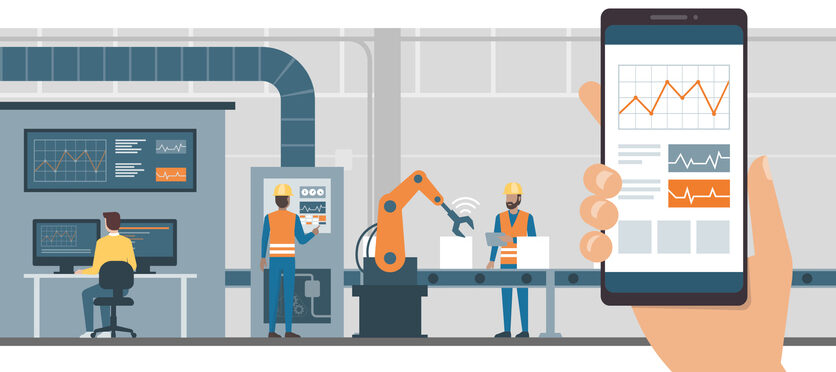
“Quality control software” covers several kinds of products. Knowing the categories narrows your search fast.
| Type | What it does well | Where it falls short | Best fit |
|---|---|---|---|
| Quality management system (QMS) software | Document control, nonconformance and corrective action, audits, change control, training records | Light on shop-floor data collection unless paired with inspection tools | Manufacturers who need one system of record for quality, often for ISO 9001 |
| Inspection and statistical process control (SPC) software | Collects measurements at the line, charts process variation, flags out-of-control conditions | Doesn’t manage documents, audits or corrective actions | Plants with high-volume measurement and tight tolerances |
| Supplier quality software | Supplier scorecards, incoming inspection, supplier corrective action requests | Narrow scope; needs a QMS around it | Manufacturers with many outside suppliers or contract manufacturers |
| ERP quality modules | Quality checks tied to orders, lots and inventory | Often basic; document control and corrective action workflows are thin | Companies that want quality data inside their ERP and have simple needs |
| Manufacturing execution systems (MES) with quality features | Real-time production data, in-process checks, traceability on the shop floor | Expensive and complex; quality is one feature among many | Larger plants running an MES project anyway |
| Spreadsheets and point tools | Cheap and familiar | No version control, no audit trail, no workflow | Very small teams, as a starting point only |
Many manufacturers end up with a combination: a QMS as the system of record, connected to the ERP and to whatever collects data on the line.
How Quality Control Software Fits With ERP and MES

Your ERP runs the business side: orders, inventory, purchasing and costs. An MES, if you have one, runs the shop floor: what’s being made, on which machine, by whom. Quality control software sits between them and owns the quality record.
The three work best when they share data instead of duplicating it:
- From the ERP: part numbers, lots, suppliers and customer orders, so a nonconformance is tied to the right product and supplier.
- From the MES or the line: inspection results and process data, so trends are visible without retyping.
- Back to the ERP: holds, scrap and rework, so inventory and costs reflect quality problems.
When you evaluate software, ask how it connects to the systems you already run. Look for standard connectors or APIs, and ask who builds and maintains the integration. A connection that needs manual exports every week isn’t really an integration.
Where Manufacturing Quality Control Software Saves Money

The return comes from catching problems earlier and spending less time on paperwork.
Less Scrap and Rework
Inspection data is collected and analyzed as it comes in, so operators are alerted before a small drift becomes a bad batch. Historical data shows the patterns behind recurring defects, and root cause analysis stops the same problem from coming back.
Lower Warranty and Liability Costs
Products are checked against requirements before they ship. A complete record of inspections, tests and corrective actions shows what was done and when, if a customer or regulator asks.
Faster, More Consistent Work
Standard workflows and automatic reports replace manual data entry and chasing approvals. Inspections take less time, and fewer things fall through the cracks.
Better Supplier Performance
Supplier quality data sits in one place, so you can score suppliers on facts, raise issues quickly and decide who to keep working with.
More Uptime
Catching quality issues early cuts unplanned stops for rework and repairs, which improves overall equipment effectiveness (OEE).
Cheaper Audits
With documents, records and corrective actions already organized, preparing for a customer audit or an ISO 9001 audit takes hours instead of days.
How to Choose Manufacturing Quality Control Software
Start with the problems you listed above, then check each option against these points.
What to Look For
- Document control: one place for procedures, work instructions and forms, with version control, review and approval workflows, and access by role.
- Nonconformance and corrective action: a clear workflow from reporting a problem to finding the root cause and confirming the fix worked.
- Data collection: capture product measurements, defects, process data, test results and supplier data, ideally from a tablet or phone on the floor.
- Integration: connections to your ERP and production systems, so data isn’t entered twice.
- Ease of use: if operators find it hard, they’ll go back to paper. Look for a simple interface, mobile access and dashboards people can set to their own needs.
- Fit to your process: workflows, fields and reports should match how your plant works, without custom code for every change.
- Room to grow: more users, more sites and more data shouldn’t slow it down or force a replacement.
- Support: training, help when something breaks, regular updates and a real person to call.
- Total cost: licenses, setup, integration, training and ongoing support, not just the subscription price.
Questions to Ask Before You Buy

- Which of our current problems will this fix in the first 90 days?
- What does setup involve, and who does the work: us, the vendor or a partner?
- How does it connect to our ERP, and what does that cost?
- Can operators use it on the floor without extra training?
- Where does our data live, and who can see it?
- What happens to our records if we leave?
A QMS Built on Microsoft 365: QMS|share
If your team already works in Microsoft 365, you may not need another platform to log into. QMS|share, built by Abel Solutions, is a quality management system that runs on Microsoft 365 and SharePoint, using the licenses you already have.
It covers the core of a QMS for growing manufacturers:
- Document control with versions, reviews and approvals
- Nonconformance & corrective action with root cause analysis
- Internal audits with findings tracked to closure
- Management of change so changes are reviewed before they reach the floor
QMS|share is ISO 9001 ready, has a fast time to launch, and comes with 30 days of post-launch support from our team. Learn more about QMS|share.
Frequently Asked Questions
What software is used for quality control in manufacturing?
Manufacturers use quality management system (QMS) software, inspection and statistical process control (SPC) software, supplier quality tools, and the quality modules in ERP systems and manufacturing execution systems (MES). Many use a QMS as the main system and connect it to the others.
What is the difference between QC software and QMS software?
QC software focuses on checking the product: inspections, measurements and defects. QMS software covers the whole quality program, including documents, corrective actions, audits and training. Most QMS software includes some quality control features.
What are the 7 basic tools of quality control?
The seven basic tools are the cause-and-effect (fishbone) diagram, check sheet, control chart, histogram, Pareto chart, scatter diagram, and flowchart or stratification. Quality control software builds many of them in, such as control charts for SPC and Pareto charts for defect analysis.
Do small manufacturers need quality control software?
Not always on day one, but most need it once they have several product lines, outside auditors or customers asking for records. A right-sized system costs less than the scrap, rework and audit prep it replaces. See our guide to QMS software for small businesses.
Can quality control software help with ISO 9001?
Yes. ISO 9001 expects controlled documents, records and a working corrective action process, and QMS software keeps all three in one place. If you’re working toward certification, our ISO 9001 certification consulting can help.
Should quality control software be cloud-based?
For most growing manufacturers, yes: no servers to maintain, access from the floor and other sites, and updates handled for you. Read more about cloud-based QMS.
Ready to Choose the Right Software?
The right quality control software fits your process, connects to the systems you already run, and gets used on the floor. If you’d like help sorting out what you need, our Atlanta-based team has spent decades helping manufacturers modernize how they work.