
QMS|share • Document Control Module
Document Control Software That Lives Inside Microsoft 365
Version chaos, email-based approvals, and scattered audit trails end when document control runs natively inside your Microsoft 365 environment.
Native: No New Platform
Clause 7.5 Aligned
Post-Launch Support
Microsoft Expertise
Document Control Challenges
Is Your Document Control Process Creating Risk?
Multiple Versions in Circulation
Informal version naming and email-based distribution guarantee the wrong document ends up in production. One obsolete SOP can trigger a major nonconformance finding.
Zero Traceability for Auditors
If proving who approved a document requires digging through email chains, you don’t have a controlled document system. You have a filing cabinet.
Superseded Documents Left in Active Use
Moving an obsolete procedure to an “old versions” folder anyone can open is not document control. Auditors test this specifically, and “we told people not to use them” is not a passing answer.
QMS|share in Action
See Document Control Running Inside Your SharePoint Environment
Manage your controlled documents inside SharePoint: version-controlled, approval-routed, and fully traceable without leaving Microsoft 365. Automated version numbering, timestamped approvals tied to Microsoft Entra ID identities, full revision history on demand.

The QMS|share Document Control Module
Full Document Lifecycle Control, Built Inside Your Microsoft Tenant
QMS|share manages every stage of the controlled document lifecycle inside SharePoint and Microsoft 365: automated, traceable, and ISO 9001 ready from day one.
Version Control
Automated Version Control
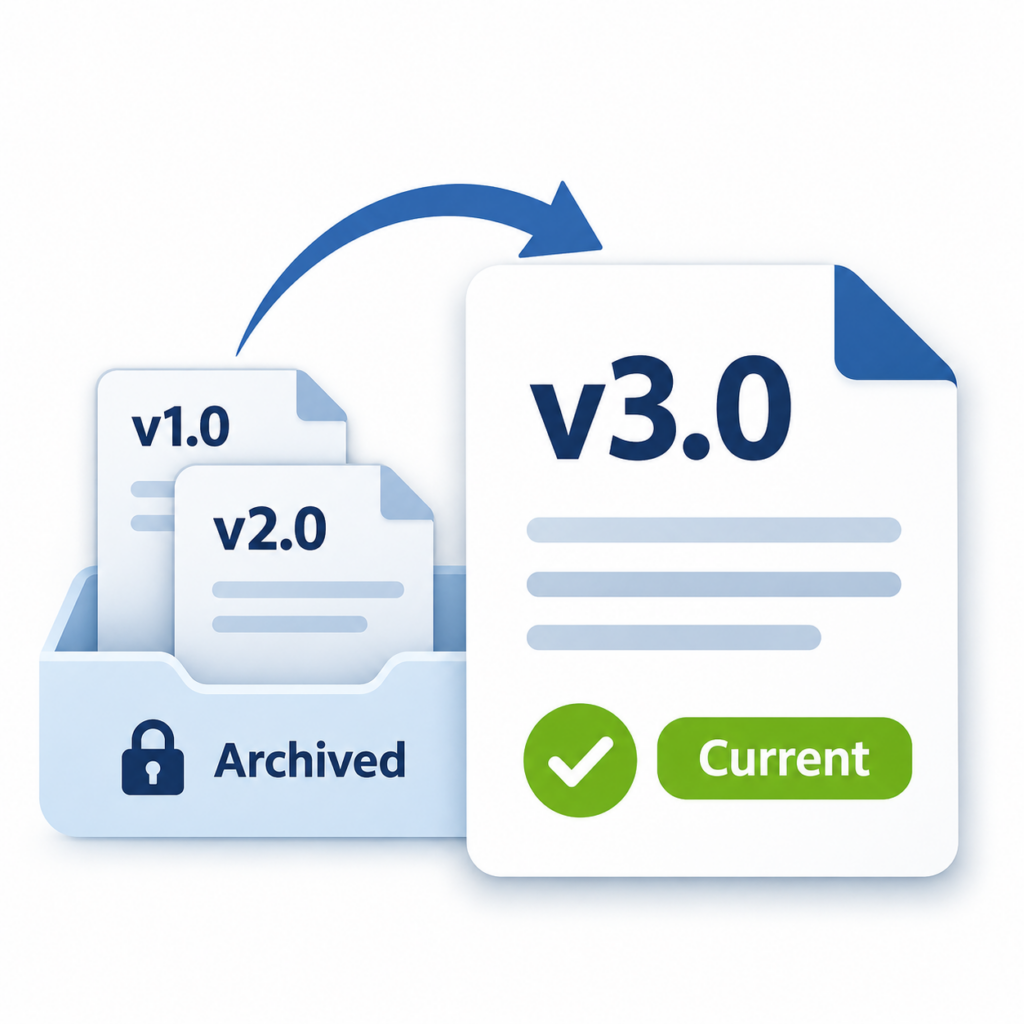
Every document save increments version tracking automatically. Superseded versions are archived and access-restricted: visible to authorized quality personnel and auditors, invisible to active users. No manual version naming, no spreadsheet revision logs, no guesswork.

Approval Workflows
Configurable Approval Workflows
Route documents through single or two-stage approval flows configured by document type, department, or risk level. Every approval is timestamped and tied to an authenticated Microsoft Entra ID identity. No approval without verified identity confirmation.
Audit Readiness
Full Revision History
Every revision (who changed what, when, and why) is stored in a permanent, tamper-evident audit trail inside your Microsoft 365 tenant. Auditors can reconstruct the full lifecycle of any document without asking your team to compile records under pressure.

Built Inside Microsoft 365
Document Control That Works Where Your Team Already Works
QMS|share runs natively inside SharePoint and Microsoft 365, not alongside it. There is no separate platform to log into, no migration of existing documents, and no new vendor relationship to manage. Your controlled document library lives inside your own Microsoft tenant, governed by the same Microsoft Entra ID permissions your IT team already manages.

SharePoint

Power Apps

Power Automate

Power BI
Because QMS|share is built on the Microsoft 365 platform your organization already subscribes to, implementation is a configuration project, not a software deployment. Your existing security posture and identity management infrastructure carry over completely. Abel Solutions configures QMS|share inside your tenant and hands it off fast. It’s ISO 9001 Clause 7.5 aligned out of the box.
SharePoint-Native Storage
Controlled documents live in SharePoint libraries inside your own Microsoft tenant, not on a third-party server. Your data stays where your governance policies already apply.
Microsoft Entra ID Permission Governance
Document access and approval routing uses your existing Microsoft Entra ID identities. No separate user provisioning, no duplicate permission management.
Power BI Visibility
Quality managers get real-time dashboards showing pending approvals, overdue document reviews, and expiring documents. The dashboards are built on Power BI inside the same Microsoft 365 environment.
Document Lifecycle
From Draft to Archive: Every Stage Controlled
QMS|share manages the complete lifecycle of a controlled document as a structured, tracked workflow, not a series of manual handoffs. Here is how a document moves through the system.
Create
- Controlled templates enforce standard formatting and required metadata
- Document type, owner, applicable standard, and department assigned at creation
- Unique ID and version number assigned automatically
Review
- Automated notifications via email
- Comments and redlines captured in-system, not in email threads
- Two-stage review support: technical review before formal quality review
Approve
- Routing configured by document type and risk level
- Approval tied to approver’s authenticated Microsoft Entra ID identity
- Two-stage flows supported; no approval recorded without authenticated action
Publish
- Previous version automatically archived and access-restricted
- Read-confirmation notifications sent to affected roles
- Effective date stamped in revision history; publishing is system-controlled
Archive
- Obsolete documents moved to archive, retained for audit, hidden from users
- Full revision history retained and accessible to authorized quality personnel
- Feedback workflow allows review requests without modifying or republishing
The Full QMS|share Platform
Document Control Is One of Four Integrated Modules
Document control doesn’t work in isolation. It connects to the rest of your quality system. Explore the other QMS|share modules that integrate with controlled document workflows.
Management of Change
Document and approve every process change with a full risk assessment before it impacts your operations.
Audit Management
Plan audits, classify findings, and auto-generate corrective actions from audit results.
Nonconformance & Corrective Action
Seven-stage corrective action workflow with complete traceability back to the source document or finding.
Common Questions
Frequently Asked Questions
What is document control software?
Document control software manages the full lifecycle of controlled documents (creation, review, approval, distribution, and archival) with version control, audit trails, and access restrictions that ensure only current, approved documents are in active use. In regulated industries, document control software must satisfy standards like ISO 9001 Clause 7.5, which requires documented evidence of approval, version history, and protection of records from unauthorized alteration.
Can SharePoint be used for document control?
Yes. QMS|share is a purpose-built document control module that runs natively inside SharePoint and Microsoft 365. It adds configurable approval workflows, automated version control, metadata structuring, full revision history, and an obsolescence workflow on top of SharePoint’s native capabilities, with no separate platform required and no additional licensing cost beyond your existing Microsoft 365 subscription.
Is QMS|share document control ISO 9001 aligned?
Yes. QMS|share is designed to support ISO 9001 Clause 7.5 documented information requirements, including availability, protection, and controlled distribution of documented information. Approval workflows generate the audit evidence required by Clause 7.5. Abel Solutions implements alignment requirements into the configuration from day one, with a fast time to launch.
How long does implementation take?
QMS|share is built for a fast time to launch. Because it deploys inside your existing Microsoft 365 environment, there is no infrastructure setup, no platform migration, and no end-user retraining required. Abel Solutions handles all configuration, workflow setup, metadata structuring, testing, and go-live support.
Stop Managing Document Control with Workarounds
Schedule a live demo and see how QMS|share runs inside your existing Microsoft 365 tenant. No separate platform, no new logins, no disruption to your team.