SharePoint Integration Services for Small to Medium-Sized Businesses
Connect SharePoint with Microsoft 365 apps and business systems to create seamless workflows that eliminate data silos and manual processes.

Connect SharePoint with Microsoft 365 apps and business systems to create seamless workflows that eliminate data silos and manual processes.
Stop switching between disconnected apps and manually copying data across systems. Abel Solutions integrates SharePoint with your Microsoft 365 ecosystem and critical business applications—creating unified workflows that boost productivity and eliminate duplicate work.
As a Microsoft Solutions Partner, we leverage Power Platform and proven integration methodologies to connect your tools and automate your processes.
Critical data scattered across SharePoint, Teams, Outlook, Excel, and other apps with no automated connection. Teams waste time manually transferring information between systems.
Entering client information in CRM, then again in SharePoint, then into accounting software. Errors multiply, and productivity suffers from repetitive tasks.
Files in SharePoint, conversations in Teams, tasks in Planner, calendars in Outlook—but nothing connects. Context gets lost, and teams struggle to stay aligned.
Sending documents via email for approval, tracking status manually, and losing visibility into where things stand. Critical processes stall waiting for responses.
SharePoint holds critical information, but field teams, executives, and remote workers can't easily access it through their preferred mobile apps or workflows.
Data for decision-making lives in multiple systems. Creating reports requires manual exports, spreadsheet gymnastics, and data reconciliation—delaying insights and decisions.
We connect SharePoint seamlessly with Teams, Outlook, OneDrive, Power BI, Planner, and other Microsoft 365 apps—creating unified workflows where information flows automatically between your tools.
Key Integrations:
Transform document-heavy processes by integrating SharePoint with email, collaboration tools, and business applications. We automate document routing, approvals, version control, and notifications across your entire workflow.
Key Deliverables:
Using Power Automate and Power Apps, we build custom integrations and automated workflows that connect SharePoint with Microsoft 365 apps and external business systems—eliminating manual processes.
Key Deliverables:
Common Automation Scenarios:
We extend SharePoint’s reach by integrating with your CRM, ERP, accounting, project management, and industry-specific systems using Power Platform connectors and custom APIs—creating a unified business ecosystem.
Key Deliverables:
Common Business System Integrations:
Connect SharePoint data with Power BI, Excel, and other analytics tools to create comprehensive dashboards and reports that combine information from across your organization.
Key Deliverables:
Technology and business needs evolve. We provide ongoing support to maintain integrations, troubleshoot issues, and optimize workflows as your Microsoft 365 environment and business systems change.
Key Deliverables:
As a Microsoft Solutions Partner, we understand the full Microsoft 365 stack and how to make tools work together seamlessly. We leverage native capabilities before resorting to custom development—reducing cost and complexity.
We're specialists in Power Automate and Power Apps—the integration backbone of Microsoft 365. Our team builds robust, scalable automations that connect SharePoint with virtually any system while remaining maintainable for SMB IT teams.
We design integrations for SMB budgets and resource constraints. You get sophisticated automation without enterprise complexity, licensing costs, or technical overhead that requires dedicated integration specialists.
Integration isn't about connecting apps—it's about improving business processes. We analyze your workflows, identify inefficiencies, and design integrations that eliminate bottlenecks and automate repetitive work.
Unlike consultants who design and disappear, we handle the complete integration lifecycle: discovery, design, development, testing, training, and ongoing support. You get working solutions, not just blueprints.
We implement integrations following Microsoft security best practices—including proper authentication, permission models, data encryption, and audit logging. Your integrated systems remain secure and compliant.
We’ve refined our integration methodology through dozens of successful implementations.
Here’s what to expect when working with Abel Solutions:
We begin by understanding your current tools, business processes, pain points, and integration goals. This discovery ensures we solve your actual problems—not just connect apps for the sake of connectivity.
Examples of What We’ll Discover:
Based on our assessment, we design your integration architecture—including data flows, automation workflows, authentication methods, and error handling. You'll see exactly how your systems will connect before we build anything.
Examples of What We’ll Design:
Our Microsoft-certified team builds your integrations using Power Automate, Power Apps, Microsoft Graph API, and custom connectors as needed. We follow best practices for security, performance, and maintainability.
Examples of What We’ll Build:
We thoroughly test integrations in a controlled environment before deployment—validating data accuracy, error handling, performance, and security. You'll participate in user acceptance testing to ensure everything works as expected.
Examples of What We’ll Test:
We deploy integrations to your production environment using phased rollout strategies that minimize disruption. Comprehensive training ensures users understand new automated workflows and how to leverage integrated systems.
Examples of What We Provide:
After deployment, we monitor integration performance, gather user feedback, and make continuous improvements. Our managed services ensure your integrations evolve with Microsoft 365 updates and changing business needs.
Ongoing Support May Include:
Stop wasting time on manual data entry and disconnected apps. Abel Solutions will integrate SharePoint with your Microsoft 365 environment and critical business systems—creating seamless workflows that boost productivity and eliminate duplicate work.
Schedule your free integration assessment and we'll evaluate your current systems, discuss your workflow challenges, and recommend integration solutions sized right for your business.

Transforming Quality Management in a Regulated Manufacturing Environment How a highly regulated manufacturer streamlined compliance, improved audit readiness, and scaled […]

For organizations and IT professionals relying on Microsoft’s SharePoint Server (i.e., SharePoint on-premises) as a cornerstone for business functions from […]
Upgrading or migrating SharePoint environments can be a complex and daunting task. This is true whether you’re migrating from SharePoint […]

Many businesses don’t realize it, but employees, vendors and even software applications often have more access than they need. This […]
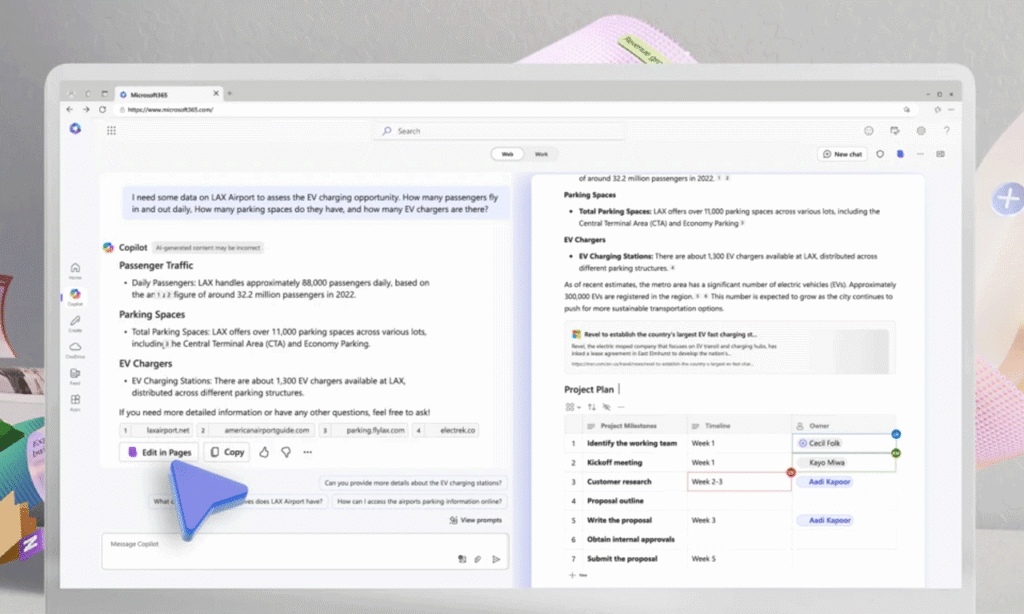
As a proud Microsoft Solutions Partner, we are excited to share the latest advancements in Microsoft 365 Copilot, as announced […]

As a premier SharePoint Consultant across many industries, we at Abel Solutions would like to provide you with a guide […]

As a premier SharePoint Consultant across many industries, we at Abel Solutions would like to provide you with a comprehensive […]

Microsoft recently made an important announcement regarding the retirement of SharePoint 2013 Workflow (also referred to as Workflow Manager) in […]

Companies across all industries generate and store a significant number of documents daily that often accumulate over many years (or […]
SharePoint integrates natively with all Microsoft 365 apps (Teams, Outlook, OneDrive, Power BI, Planner) and can connect to virtually any business system via Power Platform connectors—including CRM, ERP, accounting, project management, and industry-specific applications. If a pre-built connector doesn't exist, we can create custom integrations using APIs.
Basic SharePoint integrations with Microsoft 365 apps are included in your existing licenses. Power Automate is included in most Microsoft 365 Business and Enterprise plans with usage limits. Complex integrations or high-volume automation may require Power Automate premium connectors or additional capacity—we'll identify any licensing needs during assessment.
Integration timelines vary widely depending on the number of systems involved, data volume, workflow complexity, custom development requirements, and testing needs. Simple integrations like connecting SharePoint with Teams or setting up automated notifications are relatively quick, while complex multi-system integrations with custom workflows require significantly more time. During our discovery and assessment phase, we'll evaluate your specific integration requirements and provide a realistic timeline and estimate tailored to your project—ensuring you have clear expectations from the start.
Yes, Power Platform supports REST APIs, SOAP APIs, and custom connectors for legacy systems. If your system has an API, we can connect it to SharePoint. For systems without APIs, we explore alternative integration methods like database connections, file-based transfers, or middleware solutions. During assessment, we evaluate your specific systems and recommend the best approach.
Microsoft maintains backward compatibility for standard integrations and Power Platform connectors. We build integrations following best practices to minimize update impact. Our managed services include monitoring for Microsoft 365 updates and proactive testing to address any compatibility issues before they affect your workflows.
Absolutely. We design integrations to be maintainable by SMB IT teams and provide administrator training. Power Automate flows use visual workflows that are easier to modify than traditional code. We also provide documentation and can offer ongoing support for more complex changes. Many clients handle minor adjustments internally while engaging us for significant enhancements.
We implement integrations using Microsoft security best practices—including OAuth 2.0 authentication, least-privilege access, encrypted data transmission, and audit logging. Integrations respect your existing SharePoint permissions and Microsoft 365 security policies. We can also implement data loss prevention rules and conditional access policies for sensitive integrations.
We build robust error handling into every integration—including automatic retries, notification alerts, and detailed logging. Most integrations include monitoring dashboards so administrators can track performance and quickly identify issues. Our support services provide rapid response to integration failures, and we maintain fallback procedures to ensure business continuity.