SharePoint Document Management Services for Small to Medium-Sized Businesses
Transform chaotic file storage into an organized, secure document management system that scales with your business.

Transform chaotic file storage into an organized, secure document management system that scales with your business.
Stop wasting time searching through scattered drives, email attachments, and outdated file shares. Abel Solutions implements SharePoint document management systems that bring order to your files, enhance collaboration, and ensure everyone works from the most current version.
As a Microsoft Solutions Partner, we deliver right-sized solutions—enterprise capabilities without enterprise complexity or cost.
Team members working on outdated files with no clear "source of truth." Email attachments create confusion and duplicate work.
Client data, financial information, and proprietary details scattered across personal drives and uncontrolled file shares.
Manual approvals, locked files, and zero visibility into who's working on what—slowing your entire team.
Important files buried in nested folders with inconsistent naming. New employees can't find anything without asking multiple people.
Your current system (file shares, Dropbox, Box, legacy DMS) can't scale, but migration seems overwhelming and risky.
On-premise file shares don't support hybrid work, forcing reliance on VPNs or emailed attachments.
We assess your document challenges, compliance requirements, and workflows—then design and implement a SharePoint system with proper structures, metadata, and permissions that match how your team actually works.
Key Deliverables:
Not all documents should live forever. We implement intelligent retention policies that automatically archive or delete documents based on compliance requirements and business policies—reducing storage costs and legal risk.
Key Deliverables:
Migrating from file shares, Dropbox, Box, Google Drive, or legacy systems requires careful execution. We handle the complexity while ensuring zero data loss and minimal disruption.
Key Deliverables:
Common Migration Scenarios:
Replace manual approvals and email-based workflows with automated SharePoint workflows. Using Power Automate, we build custom solutions that route documents, track status, and trigger actions based on your business rules.
Key Deliverables:
Common Workflows:
Enable simultaneous collaboration without conflicts. We configure SharePoint’s version control and co-authoring features so everyone always works on the current version.
Key Deliverables:
Technology only works when people use it correctly. We provide hands-on training tailored to your team’s roles, ensuring smooth adoption and maximum ROI.
Key Deliverables:
We specialize in right-sized solutions for SMBs—not enterprise complexity. You get sophisticated document management capabilities without unnecessary features that inflate costs and confuse users.
As a Microsoft Solutions Partner, we have direct access to Microsoft resources, advanced training, and proven implementation methodologies. You benefit from our deep platform knowledge and best practices.
We've implemented document management across manufacturing, healthcare, financial services, architecture & engineering, legal, professional services, nonprofits, and education. We understand your industry's unique compliance and workflow requirements.
Document management doesn't exist in isolation. We integrate implementations with Abel's cybersecurity services—ensuring proper access controls, data loss prevention, and compliance monitoring.
SharePoint works best when integrated with Teams, Outlook, OneDrive, and other Microsoft 365 tools. We ensure your document management fits naturally into existing workflows.
Unlike consultants who disappear after go-live, Abel Solutions offers ongoing managed services to keep your system optimized, secure, and evolving with your business.
We’ve refined our methodology through dozens of successful implementations.
Here’s what to expect when working with Abel Solutions:
We start by understanding your document landscape, pain points, compliance needs, and workflows. This discovery phase ensures we solve your actual problems—not just implement generic features.
Examples of What We’ll Discover:
Based on our assessment, we design your SharePoint information architecture—including libraries, metadata schemas, permissions, and workflows. You'll see exactly how your system will work before we build anything.
Examples of What We’ll Design:
Our Microsoft-certified team builds your SharePoint document management system according to the approved design, handling all technical configuration, custom development, and integration work.
Examples of What We’ll Build:
We execute your migration using proven tools that ensure data integrity and minimal disruption. Our process includes cleanup, deduplication, and metadata enrichment.
Examples of What We’ll Migrate:
We provide comprehensive training tailored to different user roles—from end users to administrators. Our goal is confident, enthusiastic adoption.
Examples of What We Provide:
After go-live, we monitor performance, gather feedback, and make ongoing improvements. Our managed services ensure your system evolves with your business.
Ongoing Support May Include:
Stop losing time and productivity to chaotic file storage. Abel Solutions will implement a SharePoint document management system that brings order to your documents, enhances collaboration, and scales with your business.
Schedule your free document management assessment and we'll evaluate your current environment, discuss your requirements, and provide recommendations for a SharePoint solution sized right for your business.

Transforming Quality Management in a Regulated Manufacturing Environment How a highly regulated manufacturer streamlined compliance, improved audit readiness, and scaled […]

For organizations and IT professionals relying on Microsoft’s SharePoint Server (i.e., SharePoint on-premises) as a cornerstone for business functions from […]

Upgrading or migrating SharePoint environments can be a complex and daunting task. This is true whether you’re migrating from SharePoint […]

Many businesses don’t realize it, but employees, vendors and even software applications often have more access than they need. This […]
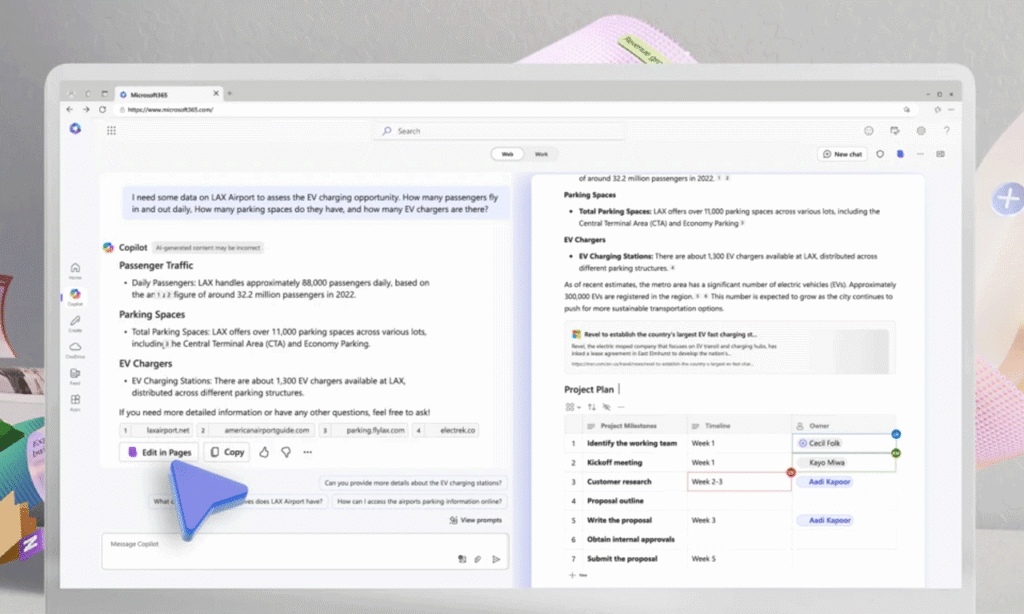
As a proud Microsoft Solutions Partner, we are excited to share the latest advancements in Microsoft 365 Copilot, as announced […]

As a premier SharePoint Consultant across many industries, we at Abel Solutions would like to provide you with a guide […]

As a premier SharePoint Consultant across many industries, we at Abel Solutions would like to provide you with a comprehensive […]

Microsoft recently made an important announcement regarding the retirement of SharePoint 2013 Workflow (also referred to as Workflow Manager) in […]

Companies across all industries generate and store a significant number of documents daily that often accumulate over many years (or […]
Project timelines vary significantly based on your specific requirements, the volume of content being migrated, complexity of permissions and metadata structures, and the level of customization needed. During our discovery and assessment phase, we'll provide a realistic timeline and estimate tailored to your project—ensuring you have clear expectations from the start. We can also structure implementations in phases to minimize disruption to your day-to-day operations while delivering value incrementally.
Yes, we routinely consolidate documents from network file shares, Dropbox, Box, Google Drive, legacy document management systems, and email archives into SharePoint. Our migration includes deduplication and metadata mapping to ensure properties transfer correctly.
OneDrive handles personal file storage and basic sharing, while SharePoint is purpose-built for organizational document management with custom metadata, automated workflows, advanced permissions, compliance controls, and team collaboration. We help you determine the right balance and configure both to work together seamlessly.
Absolutely. We provide training tailored to your needs—whether that's site administration, solution-specific training for power users, or end-user training on SharePoint, Teams, and related Microsoft 365 tools. Training can be incorporated at any point during your engagement or added as your needs evolve, such as when onboarding new team members or expanding your SharePoint capabilities. We'll always be transparent about costs and let you know upfront if training requests fall outside your existing budget so there are no surprises.
SharePoint is included with most Microsoft 365 Business and Enterprise plans you likely already have—no additional licensing cost. Implementation costs depend on document volume, custom workflows, migration complexity, and training needs. After an initial assessment, we provide transparent pricing with no hidden fees.
Yes, SharePoint Online includes robust compliance features supporting HIPAA, ISO 9001, SOC 2, and other frameworks. We implement retention policies, audit logging, access controls, and data loss prevention to meet your requirements. As a Microsoft Solutions Partner, we stay current on compliance features across healthcare, financial services, and manufacturing.
We recommend maintaining read-only access to your old system for 30-90 days post-migration as a safety net. This allows users to reference historical data while building confidence in SharePoint. After the retention period, we can help you archive data appropriately and decommission old systems—ensuring you're not paying for unused storage and licenses.
Yes, integration is one of our core strengths. We routinely integrate SharePoint with CRM systems (Salesforce, Dynamics 365), ERP systems (Traverse), accounting software, practice management systems, and industry-specific applications. Using Power Automate, Microsoft Graph API, and custom connectors, we create seamless workflows—eliminating duplicate data entry and disconnected processes.